
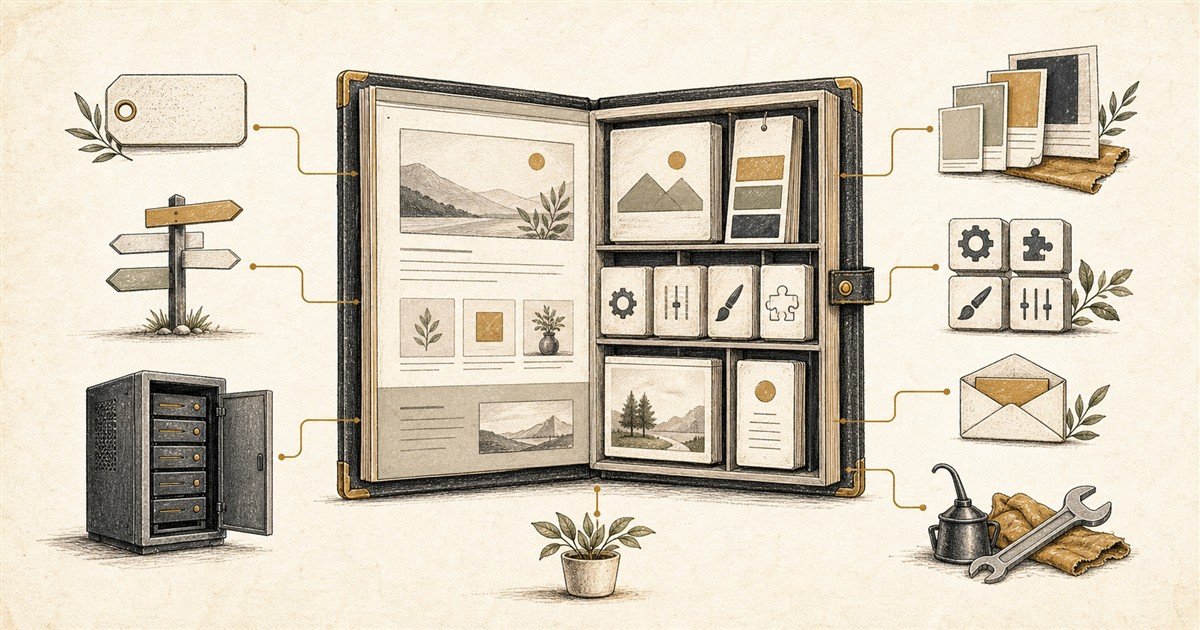
WordPress is software for building and managing a website. It gives you an administration area where you can create pages, publish articles, upload images, manage users and add features without editing every page as a piece of code.
That is the short answer. The confusing part is that people often use “WordPress” to describe an entire website package. In reality, WordPress sits in the middle of several separate things: a domain name, DNS, hosting, a theme, plugins, email and ongoing maintenance.
You do not need to become a technician to make sensible decisions about them. You only need a clear picture of which part does what, who controls it and what happens if you want to change provider later.
WordPress is a content management system
CMS stands for content management system. It is the software that stores and organises the content of a website and provides the screens used to manage it.
Without a CMS, changing a service description might mean asking somebody to edit a file and upload it to a server. With WordPress, an authorised user can sign in, edit the page and save the change through a browser.
WordPress is free, open-source software released under the GPL. “Open source” does not mean that every WordPress website costs nothing. It means the core software can be used, studied and modified without paying a licence fee to WordPress itself. You still need somewhere to run it, and you may pay for design, hosting, premium extensions and support. WordPress.org explains the software licence.
This distinction matters because WordPress is not one closed website-building company. It is a software project used by many hosts, designers, developers and service providers.
The seven pieces of a typical WordPress website
1. Your domain name
The domain is the address people type, such as yourbusiness.com.au. Registering it gives you a renewable licence to use that name; it does not buy the name forever.
For Australian domains, auDA says registrants must meet the relevant eligibility rules and keep their details current. If a domain is not renewed, the website and email using it can stop. auDA’s registration guide is a useful starting point.
The safest arrangement is usually for the business—not a former employee or web supplier—to be recorded as the registrant and to control the registrar account.
2. DNS
DNS stands for Domain Name System. Think of it as the set of directions attached to the domain. One record can send website visitors to the hosting server. Other records can direct email to Microsoft 365, Google Workspace or another mail service and help prove that outgoing messages are legitimate.
DNS does not contain your website. It tells internet services where to find the website and email. This is why changing a DNS setting can affect one service without moving the others. ICANN’s overview of the Domain Name System explains the global system behind those directions.
3. Web hosting
Hosting is the computer service that stores the WordPress files and database and makes them available on the internet. A hosting plan may also include backups, security tools, caching, a staging site, support and sometimes email—but those inclusions vary.
Cheap hosting can be adequate for a small, low-traffic site. The meaningful questions are what happens at renewal, how backups are restored, how support works, what limits apply and whether the site can be moved.
4. WordPress itself
WordPress is installed on the hosting account. It provides the administration dashboard, user roles, page and post management, media library and the framework used by themes and plugins.
Your words and many settings live in a database. Images and other uploaded files live alongside the WordPress software. A complete backup therefore needs both the database and the files.
5. The theme
A theme controls much of the site’s presentation: typography, colours, templates, spacing, headers, footers and the layout rules applied to content. WordPress.org describes a theme as a collection of files that produces a graphical interface and a unifying design.
A theme is not the same as your brand. Your brand includes the business’s identity, voice, imagery and reputation. A theme is one system used to express those things online. Switching themes can change the presentation dramatically, but it may not neatly preserve every custom layout.
6. Plugins
Plugins add functions to WordPress. A plugin might provide a contact form, online shop, booking calendar, search optimisation tools, security controls, backups or a connection to other business software. WordPress.org’s plugin guide describes them as additional software that extends WordPress core.
This flexibility is one of WordPress’s strengths. It is also why a website needs judgement. More plugins do not automatically create a better site. Each one adds another supplier, update cycle and possible compatibility issue. Use well-supported plugins for a real purpose, and remove those no longer needed.
7. Email
Your website and business email may share the same domain, but they are usually separate services. Moving the website does not have to move the mailboxes. Changing DNS carelessly, however, can interrupt email even when the website move itself is correct.
Website-generated email is another layer. Contact forms, order receipts and password resets need a reliable delivery method. A form displaying “sent” only means the website handed the message to something; it does not prove the message reached an inbox.
WordPress.org and WordPress.com are related—but not identical
This naming causes more confusion than almost anything else in the WordPress world.
WordPress.org is the home of the open-source WordPress project. When people say “self-hosted WordPress”, they generally mean the WordPress software is installed with a hosting provider chosen by the site owner.
WordPress.com is a commercial hosted service run by Automattic. Hosting is included, and plans bundle different levels of features, management and support. It uses WordPress software, but the service and plan rules shape what you can install or change.
The official WordPress.com comparison summarises the central distinction: WordPress.com includes managed hosting, while self-hosted WordPress requires separate hosting and more hands-on responsibility.
Neither option is universally better. WordPress.com may suit an owner who values a more bundled service. Self-hosted WordPress may suit a business that wants broad choice of hosting, plugins, development tools and suppliers. Compare the practical freedoms and responsibilities at the plan you would actually buy—not a free-plan headline against a fully managed professional build.
What do you actually own and control?
“Ownership” is not one switch. It helps to separate the pieces.
- Domain: you normally hold a renewable licence, subject to registry rules. Make sure the business is the registrant and can access the account.
- Content: your agreement should state that you retain rights to the words, photographs and materials you supply, and explain ownership of commissioned work.
- WordPress software: the open-source licence gives broad rights to use and modify it.
- Theme and plugins: code may be open source, while access to updates, templates, cloud services or support can depend on a paid licence.
- Hosting: you rent a service. You should be able to obtain a usable backup and move the site, subject to the agreement and technical requirements.
- Accounts and data: analytics, search tools, email services and payment accounts should be created for the business or formally handed over.
A WordPress site is generally portable, but “portable” does not mean every move is effortless. A migration involves files, database, DNS, licences, email settings and testing. Proprietary page-builder features, third-party services and agency licences can require replacement or reconfiguration.
Before appointing a provider, ask: Who is the domain registrant? Whose name is on the hosting account? Can I receive a full backup? Which licences belong to me? What stops working if the relationship ends? Clear answers are more useful than a vague promise that you “own the website”.
The business should be able to identify and access:
- the domain registrar and registrant details;
- the hosting account and current backups;
- WordPress administrator accounts;
- email, analytics and search accounts;
- paid theme and plugin licences;
- brand files, website copy and original images.
WordPress gives you choices. The real advantage appears when the domain, hosting, software, accounts and maintenance are arranged so those choices remain available.
What will a WordPress website cost repeatedly?
The WordPress software itself does not have a monthly fee. The surrounding system usually does. Common recurring categories include:
- domain registration, commonly renewed yearly or for a multi-year term;
- web hosting, including whatever backup, security and support level you choose;
- premium themes or plugins, where updates or services require annual licences;
- business email, often priced per mailbox;
- maintenance and support, whether handled internally, paid as needed or covered by a care plan;
- specialist services such as booking systems, ecommerce extensions, email marketing, privacy tools or image libraries.
Some suppliers bundle several items; others itemise them. Neither approach is automatically cheaper. Compare normal renewal prices, not just introductory offers, and ask which accounts and licences can move with you.
For a broader explanation of project and ongoing costs, see How Much Should a Website Cost—and What Do You Get for Your Money?
Why does WordPress need ongoing maintenance?
A website is running software exposed to the public internet. WordPress core, the theme and plugins receive updates for features, compatibility, bug fixes and security. WordPress.org recommends backing up before updates and keeping WordPress current.
Maintenance should normally include:
- tested updates to WordPress, the theme and plugins;
- automatic off-site backups and occasional restore tests;
- security monitoring and sensible administrator access;
- checks that forms, payments and important emails still work;
- review of performance, broken links and expired licences;
- content updates when services, staff, prices or policies change.
Managed hosting can perform parts of this work, but somebody still needs responsibility for the complete site. An update completing successfully does not prove that a booking pathway or enquiry email still behaves as intended.
Why would a small business choose WordPress?
WordPress is attractive when a business wants a website that can grow, publish substantial content, connect to other systems and remain moveable between many capable providers.
It can begin as a clear service website and later add articles, events, bookings, payments, memberships, directories or customer resources. That makes it well suited to a website intended to become more than an online brochure.
It is not automatically the simplest choice. A tightly managed website builder may be easier for a very small site with standard needs. WordPress becomes less pleasant when overloaded with plugins, poorly maintained or customised without documentation.
The best platform is the one that fits the job, budget, available skills and appetite for responsibility. If you are weighing DIY against professional help, this guide to building a website yourself separates what modern tools make easy from the decisions they do not make for you.
A sensible way to begin
- Write down the job. Decide what the website must help customers and the business do.
- List the essential features. Separate launch requirements from ideas that can wait.
- Choose who owns each responsibility. Domain, hosting, content, updates, backups and support all need a named owner.
- Compare complete costs. Include renewals, licences, email and maintenance—not just the build.
- Keep business control. Record accounts, recovery details, licences and handover documentation somewhere secure.
You do not need to understand every setting in WordPress. You do need to know what you are buying, who controls it and who keeps it working.
Grey Lily Media’s WordPress website and care services are built around that practical division of responsibilities: a useful site, clear accounts and support after launch without pretending the software looks after itself.
Need help choosing the right setup?
Tell Grey Lily Media what the website needs to do. You will get a plain-English recommendation about WordPress, hosting and ongoing care.
Keep reading

The Difference Between Helpful and Available
A helpful website sets clear response times, contact routes and next steps. It does not need to make the owner or staff permanently interruptible.
Read article →
The Myth of Removing Every Barrier: When Website Friction Helps
Not every extra step on a website is a problem. Price signals, qualification questions and booking rules can improve customer fit and trust when each one has a clear job.
Read article →
How Do You Know Whether Your Website Is Actually Working?
A practical guide to measuring whether your website produces qualified enquiries, calls, bookings or sales, without mistaking vanity metrics for business results.
Read article →